

IT Infrastructure Services

Email Services | IT Infrastructure Services

We support the installation, security and deliverability settings of your corporate email infrastructure.

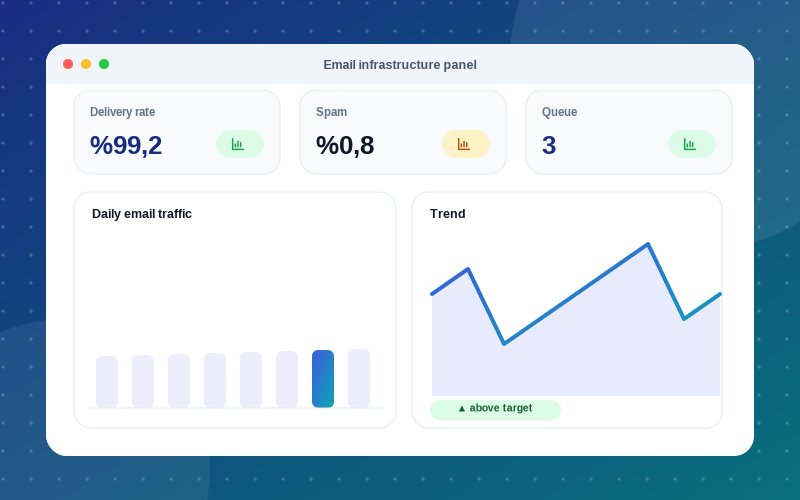
Email Services – image 1
Email Services – image 2

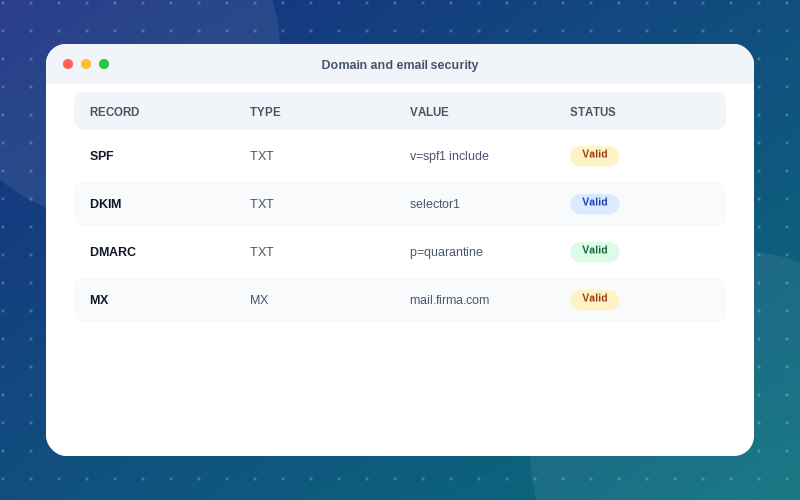
We set up your corporate email infrastructure, domain authentication records (SPF, DKIM, DMARC), mailbox administration and spam filters, so that your messages are delivered reliably and protected against spoofing.

Sender authentication with SPF, DKIM and DMARC

We define with SPF which servers may send mail on behalf of your domain, and with DKIM the digital signature of outgoing messages. We start the DMARC policy in monitoring mode, review the reports and, once legitimate senders such as marketing tools, CRM and application notifications are verified, move step by step to a quarantine or reject policy.

Mailbox, domain and user administration

In your cloud-based or on-premises mail system we organise user, alias, distribution group, shared mailbox and quota administration. We define account creation and deactivation steps for joiners and leavers, keep domain records including MX up to date, and carry out mail migrations from an old system to a new one in a planned way without data loss.

Spam, phishing and deliverability

For inbound mail we configure filter rules, quarantine handling and allow and block lists to check spam, malicious attachments and spoofed senders. For outbound mail we monitor IP and domain reputation, analyse bounced messages, find out why your messages land in junk folders and apply corrective settings.

What is included?

  • Domain authentication records: SPF, DKIM and DMARC records are designed, tested and published so that all sending sources are covered.
  • Mailbox and group administration: User accounts, aliases, distribution lists, shared mailboxes and quotas are brought into an orderly structure.
  • Spam and security filters: Checks for malicious attachments, phishing and spoofed senders are configured along with quarantine and notification flows.
  • Migration and cutover: A plan to move mailboxes, calendars and contacts from the old mail system to the new platform is prepared, and the cutover period is managed to minimise disruption.
  • Deliverability and monitoring: IP and domain reputation, bounces and DMARC reports are monitored, and corrective action is recommended for any problems.

How we work

  1. Discovery

    Your current email environment is examined: the mail server or cloud service, domain records, number of users, applications that send email and known problems are listed, and your DNS records are checked to produce a baseline report.

  2. Planning

    The target set-up is planned: platform choice or improvement of the current platform, the SPF, DKIM and DMARC policy stages, mailbox and group layout, migration schedule and changes to be announced to users are approved in writing.

  3. Implementation

    The configuration is applied: DNS records are published, filters and user accounts are set up and verified with test messages. If a migration is needed, it starts with pilot users, and the remaining mailboxes follow in waves.

  4. Support

    DMARC reports and deliverability indicators are monitored, the policy is tightened when appropriate, and administration notes are handed over. User support and regular checks can optionally continue.

What you gain

Sending fake email in your company's name becomes harder, and customers and partners can be more confident that messages carrying your name really come from you.

Important messages land in spam or bounce less often, and the mail infrastructure becomes orderly, manageable and quick to adapt to user changes.

Phishing and malicious attachment risks are reduced through filter layers, and administrators follow mail traffic in a visible and auditable way through quarantine and DMARC reports.

Who is it for?

Suitable for businesses that use corporate email on their own domain and send invoices or notifications to customers, teams that notice their messages landing in spam, IT managers who want to reduce the risk of spoofed email and phishing, and organisations planning to move their email system to a new platform.

Frequently Asked Questions

Why is it not recommended to enable DMARC with a strict policy straight away?

Because you may not know in advance all the sources sending mail on behalf of your domain, such as marketing tools, accounting software and applications sending notifications. A strict policy would reject their messages. That is why we start in monitoring mode, identify the sources from the reports and move gradually to quarantine and reject once all are verified.

Will there be downtime when we move our mail system to the cloud?

With a planned cutover, downtime can be kept very short. Mailboxes are synchronised in advance, MX records are prepared with a low TTL and the cutover is scheduled for a low-traffic time. A trial is run first with pilot users. Since short delays can still occur at the moment of switching, we announce the schedule to you and users beforehand.

Related services and resources

Quote & demo

Let's evaluate your project together.

Let's start with a short call about QISO demo, ISO consulting, Artificial intelligence feasibility or your custom software needs.

  • QISO demo
  • ISO consulting
  • Artificial intelligence
  • Custom Software