

IT Infrastructure Services

Windows Server Management | IT Infrastructure Services

We support the installation, updating and security configuration of your Windows Server environments.

Windows Server Management – image 1
Windows Server Management – image 2

We take care of installing your Windows Server environments, configuring roles and features, managing updates and hardening security. Deliverables include standardised server templates, a patch calendar and a documented configuration baseline.

Role and feature configuration: only what is needed

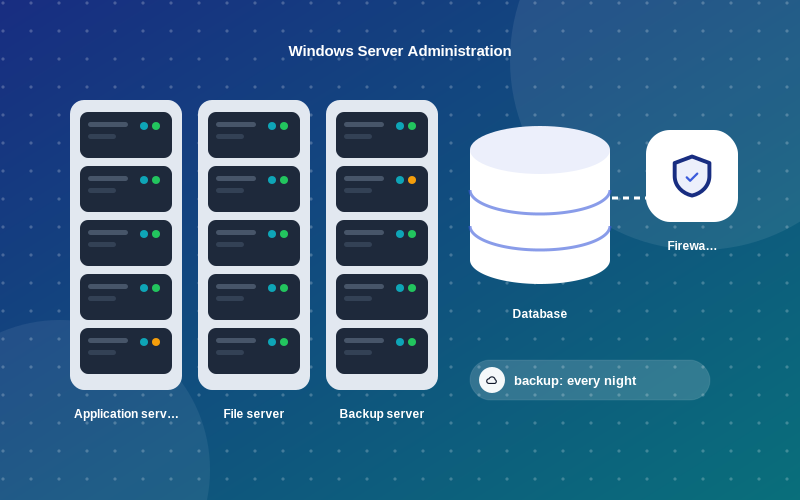
Each server is built for a specific job: file server, application server, DHCP, DNS, Active Directory domain controller or Hyper-V host. Unneeded roles and services are kept off to reduce the attack surface. Configuration is applied through reusable scripts and templates, so a new server can be brought into service quickly and to the same standard as the existing ones.

Update management and patch calendar

Security and fix updates are managed with WSUS or a comparable central tool. Servers are grouped by criticality and updates roll out in stages, first to a test group and then to production. The maintenance window, restart requirements and rollback method are announced beforehand. The application vendor's compatibility notes are taken into account, so that updating never becomes a risk to business continuity.

Security hardening and policy enforcement

Hardening includes auditing local administrator accounts, password and account lockout policies, Windows Firewall rules, switching off legacy protocols and restricting remote desktop access. Settings are applied centrally through group policy and compared against a baseline inspired by published guides such as CIS. Deviations are reported and deliberate exceptions are recorded.

What is included?

  • Server installation: Operating system installation on physical or virtual hardware, driver and version selection, domain join and basic settings are completed.
  • File and print services: Share structure, NTFS and share permissions, quotas and shadow copy settings are arranged according to organisational requirements.
  • Group policy design: Policy objects are created per organisational unit and server role, and changes are versioned and published after testing.
  • Virtualisation and hardware: Hyper-V host configuration, virtual machine resource allocation and firmware versions are reviewed.
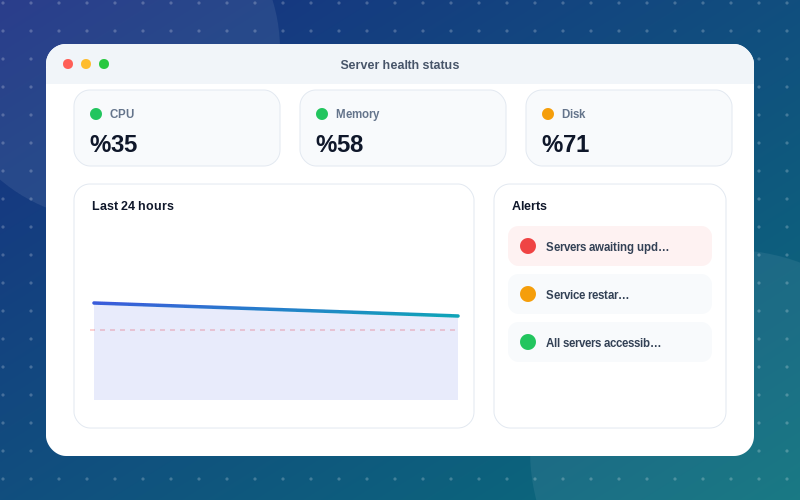
  • Event log and monitoring: Security and system event logs are collected, alert rules are defined for critical events and reviewed regularly.

How we work

  1. Discovery

    We inventory existing servers, operating system versions, patch status, roles and local accounts; versions past end of support and obvious security gaps appear in the first findings report.

  2. Planning

    A baseline configuration, patch calendar and role-based server standards suited to your environment are designed, and maintenance windows for work that causes downtime are set together with business units.

  3. Implementation

    The configuration is validated first on a test server and then moved into production in stages; policies and scripts are placed under version control and rollback steps are prepared for every change.

  4. Support

    Operations continue through regular patch cycles, health checks and monthly reports; a defined support channel and documented response times are provided for new server requests and faults.

What you gain

Your servers are configured to the same standard in a documented, repeatable way, and setting up a new server no longer depends on one specialist.

Patches and security gaps are closed on a regular calendar, and records that can be shown in audits and information security assessments build up naturally.

Server-related outages and unplanned restarts decrease, and because it is known what changed when a problem arises, diagnosis and resolution become faster.

Who is it for?

This service suits organisations that run a Windows-based infrastructure of anything from a few servers to dozens but have no dedicated system administration staff. IT managers who notice that patching and security settings depend on individuals, those planning to renew older servers, and organisations that must present records of system configuration in audits will benefit.

Frequently Asked Questions

What happens with Windows Server versions that are out of support?

We flag these servers separately in the first inventory and state the risk plainly. After reviewing the compatibility of the applications on them, we present options such as moving to a newer version, virtualisation or network isolation, with their costs and risks. You decide which path to take, and we carry out the migration in a planned and tested manner.

Do you provide the service remotely or on site?

Daily management, monitoring and patching are carried out through a secure remote access method, using named accounts and recorded sessions. For work that needs an on-site presence, such as replacing physical hardware, cabling or initial setup, planned site visits are made; scope and access rules are set out in writing at the start.

Related services and resources

Quote & demo

Let's evaluate your project together.

Let's start with a short call about QISO demo, ISO consulting, Artificial intelligence feasibility or your custom software needs.

  • QISO demo
  • ISO consulting
  • Artificial intelligence
  • Custom Software