

IT Infrastructure Services

Backup and Restore | IT Infrastructure Services

We design your backup policy and validate it with regular restore tests.

Backup and Restore – image 1
Backup and Restore – image 2

We define together what is backed up, how often and for how long, set up the backup infrastructure and prove it works through restore tests, delivering a documented backup policy and recovery plan.

Backup strategy and retention periods

We start with a data inventory covering servers, databases, file shares and virtual machines, and agree an acceptable data loss (RPO) and recovery time (RTO) target for each with the business units. On that basis, the mix of full, incremental and differential backups, retention periods and legal or contractual requirements are consolidated in a single policy document.

Infrastructure, the 3-2-1 rule and immutable copies

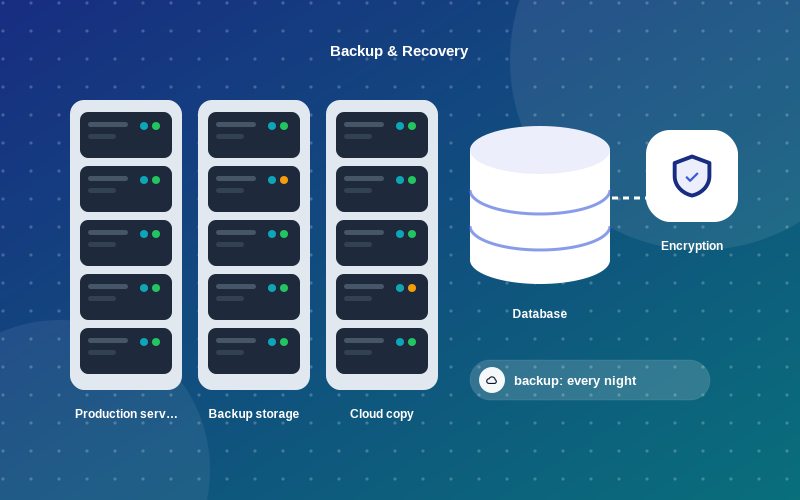
We make sure backups follow the principle of three copies, on two different media, with at least one off-site. Against ransomware, we configure an offline or immutable copy, separate authorisation for backup accounts, and encryption in transit and at rest, so that backups are not compromised together with the production environment.

Restore tests and disaster recovery

Taking a backup is not enough; you must be able to show that you can recover. We run planned restore exercises for selected systems, compare the elapsed time with the RTO target and report the results. Step-by-step recovery procedures are written for scenarios such as server loss, database corruption or ransomware and rehearsed with your team.

What is included?

  • Data inventory and classification: Servers, databases, shares and virtual machines are classified by criticality, and RPO and RTO targets are recorded for each system.
  • Backup policy: Scheduling, backup type, retention period, responsibilities and exception handling are turned into a policy document ready for approval.
  • Infrastructure and tooling: Backup software, storage target, off-site copy and encryption settings are set up, or your existing solution is reviewed if you already have one.
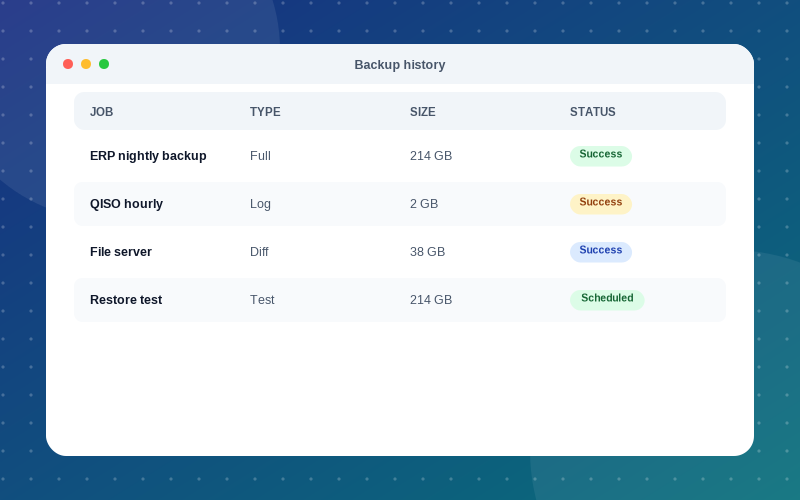
  • Restore tests: File, database and full server restores are tried at defined intervals, and the duration and results are recorded in a test report.
  • Disaster recovery scenarios: Recovery order, roles and communication steps are written down for ransomware, hardware failure and loss of the data centre.

How we work

  1. Discovery

    We examine your current backup practice, tools in use and recent failed jobs, determine which data is really protected and which is not backed up at all, and produce a gap list.

  2. Planning

    RPO and RTO targets, retention periods and budget limits are discussed with the business units, and a target backup architecture and draft policy are prepared and put to decision makers for approval.

  3. Implementation

    Backup jobs, schedules, alerts and encryption are configured, the first full backups are taken, the off-site copy is verified and job success status is connected to a notification mechanism.

  4. Support

    A planned restore exercise is carried out, duration and results are reported and the recovery guides are handed over to your team; support for regular testing and policy review can continue in later periods.

What you gain

Which data is protected, for how long, where and by what method is tied to a written and approved policy, so responsibilities are no longer ambiguous.

Restore time and success are measured through exercises, so when data loss or an outage occurs, everyone knows in advance what to do and the team follows a procedure instead of improvising.

Resilience against risks such as ransomware and hardware failure increases, and you gain a verifiable backup record to support your business continuity and information security work.

Who is it for?

Suitable for businesses that have so far handled server, database and file share backups manually or without a plan, IT managers who are unsure whether their backups can actually be restored, organisations preparing against ransomware risk, and teams that need backup evidence before a business continuity or information security audit.

Frequently Asked Questions

How can we be sure our backups actually work?

The only reliable way is to test a restore. We restore selected file, database and server backups to a separate environment, check data integrity and record the time taken. Alerting for failed jobs is set up, tests are repeated at regular intervals and a short report is produced each time.

Should we choose cloud backup or local backup?

For most organisations a combination of both is healthier. A local copy gives fast recovery, while an off-site or cloud copy protects against fire, theft and ransomware. We determine the balance together, based on data volume, bandwidth, regulation and budget, and document the reasoning.

Related services and resources

Quote & demo

Let's evaluate your project together.

Let's start with a short call about QISO demo, ISO consulting, Artificial intelligence feasibility or your custom software needs.

  • QISO demo
  • ISO consulting
  • Artificial intelligence
  • Custom Software