Graphic and Digital Design

Mobile UI/UX Design | Graphic and Digital Design

We design the user flows and interfaces for your mobile applications.

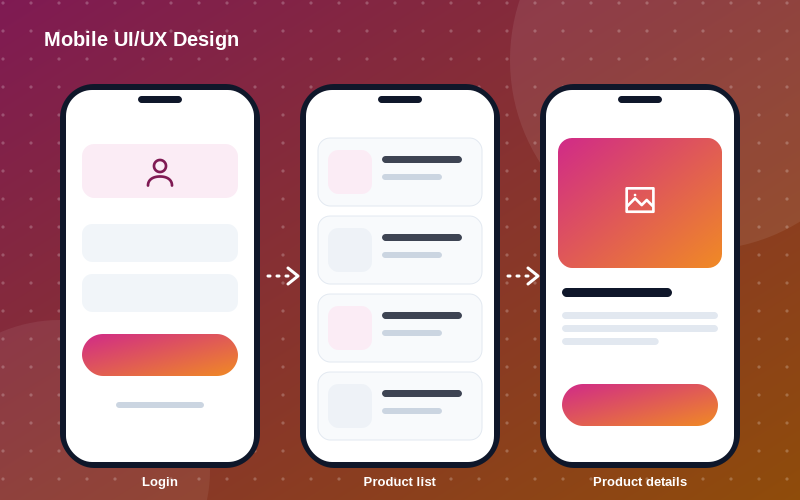
Mobile UI/UX Design – image 1
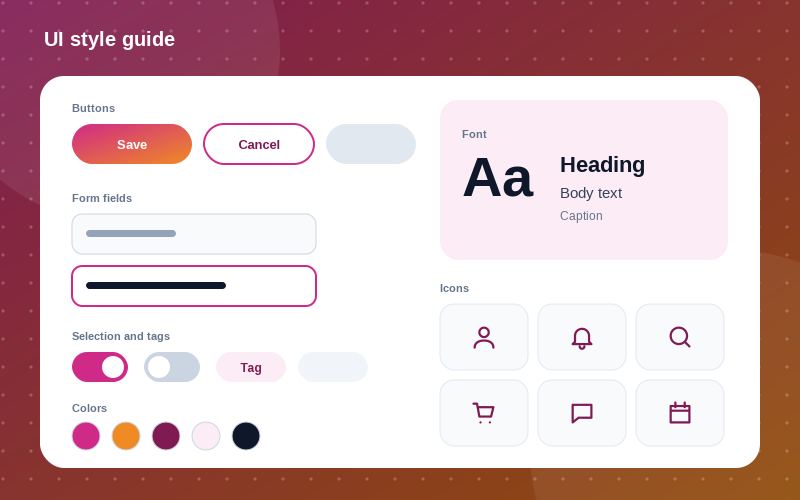
Mobile UI/UX Design – image 2

We design usage flows, screens and interactions for your mobile applications in line with iOS and Android conventions. Deliverables are user flows, a clickable prototype and a development-ready package of screens and components.

User flow and prototype

In a mobile app, users typically act with one hand, in a short time and with divided attention. We therefore first identify the core tasks and map flows such as sign-in, registration, search and confirmation step by step. We then build a clickable prototype and try it out with real users or with your team. Sticking points become visible and are corrected before any code is written.

Conforming to iOS and Android guidelines

The interface guidelines of Apple and Google define the navigation, gesture and component behaviours users are accustomed to. We build designs in line with these rules and take platform differences into account, such as the bottom tab bar, the back gesture, notification permissions and keyboard behaviour. For hybrid apps with a single codebase we keep a shared design language and recommend platform-specific adaptations where necessary.

Development-ready design handoff

The value of a design depends on it being implemented correctly. On handover we deliver screens not just as images but together with dimensions, colour and typography values, component states and edge-case screens such as empty, error and loading. Behaviour on different screen sizes and dark mode preferences are documented, and icons and images are exported at the required resolutions, so developers proceed without uncertainty.

What is included?

  • User research: Target user profiles, usage context and competing apps are examined to determine core tasks and priorities.
  • Flow and screen map: Sign-in, main navigation, listing, detail and transaction flows are mapped together with the transitions between screens.
  • Interface design: Screens are drawn with colour, typography, icon sets and components in keeping with the brand language, supporting light and dark themes.
  • Prototype and testing: A clickable prototype is prepared and usability observations are reported as an organized list of findings.
  • Store assets and handover: The app icon, store screenshots and developer specifications are added to the handover package.

How we work

  1. Discovery

    We examine the purpose of the app, its user groups and, if a version exists, usage data, and together with you determine the critical tasks and success criteria and define the design scope.

  2. Planning

    We sketch user flows and low-fidelity screen drafts, select the navigation model (tab bar, drawer menu and so on) and submit the flows for approval after reviewing them with stakeholders.

  3. Implementation

    We create the visual design and component library, prepare the clickable prototype and reflect user observations and team feedback in the design.

  4. Support

    We hand over the screens, edge cases and export assets to the development team and support design reviews during implementation and preparations for store release.

What you gain

You get a mobile experience in which users complete their tasks in few steps and without errors, and which is familiar to the habits of the platform.

Because problems are caught at the prototype stage, the cost of rewrites and screen revisions during development is reduced.

Thanks to development-ready specifications, iOS and Android apps are brought to life faithfully to the design and on a more predictable schedule.

Who is it for?

This service suits organizations planning their first mobile app for customers or employees, those dissatisfied with the usage rates and store ratings of their existing app, and those wanting to move a web system to mobile. It is especially suitable for companies serving users who work on their phones, such as field sales, service and inspection teams, and for software teams without a design resource.

Frequently Asked Questions

Is a separate design needed for a hybrid app as well?

For hybrid apps, a single design language and a shared set of components is often sufficient. Even so, the back gesture, notification permissions, system fonts and navigation habits differ between the two platforms. We therefore establish the shared design and define platform-specific variations separately only where they are truly needed, so development cost does not rise unnecessarily.

Is real user testing mandatory for the design?

It is not mandatory but it is recommended. Even a short prototype test with five or six people can reveal a large share of the most obvious usability problems. If budget or time is limited, we run a lightweight round of observation with the internal team and representative users. The test scope and number of participants are determined together at the start.

Related services and resources

Quote & demo

Let's evaluate your project together.

Let's start with a short call about QISO demo, ISO consulting, Artificial intelligence feasibility or your custom software needs.

  • QISO demo
  • ISO consulting
  • Artificial intelligence
  • Custom Software