IT Infrastructure Services

DevOps Services | IT Infrastructure Services

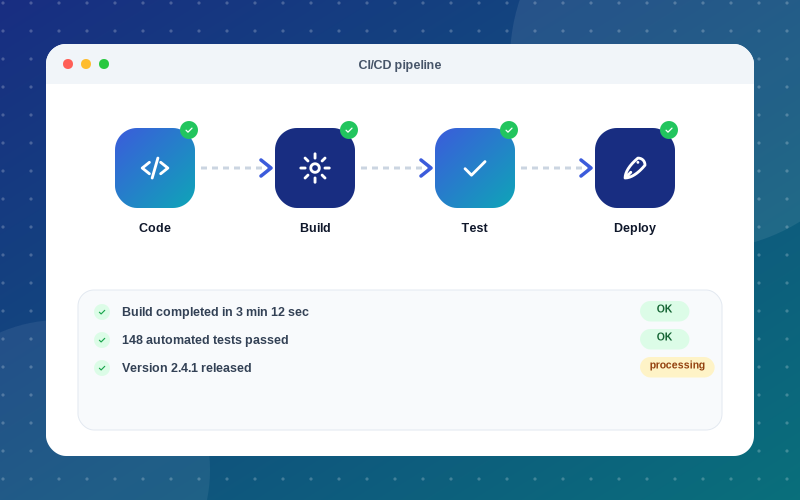
We set up CI/CD pipelines that automate your build, test and release processes.

DevOps Services – image 1
DevOps Services – image 2

We automate your build, test and release steps with CI/CD pipelines, make your environments consistent and turn software delivery into a repeatable, traceable and reversible process.

Designing and building CI/CD pipelines

We build the continuous integration pipeline that runs the build, unit tests and packaging automatically on every change in the source repository. An approval-gated deployment pipeline completes it: the artifact is built once and the same package moves through test, staging and production. We adapt to your existing tooling such as Azure DevOps, GitLab CI or GitHub Actions.

Environment management and infrastructure as code

To stop development, test and production environments from drifting apart, we define server and application configurations as version-controlled scripts and templates. Environment-specific settings and secrets are separated from code and configuration changes are managed within the pipeline, so a new environment can be reproduced from scripts rather than set up by hand.

Automated testing and quality gates

We connect unit, integration and, where needed, UI tests to the pipeline and define code coverage, static code analysis and dependency vulnerability scanning as quality gates. A change that misses the threshold does not move to the next stage. Test results and build history are made visible to the team so that defects are caught during development rather than in production.

What is included?

  • Version control and branching strategy: The Git repository layout, branch and merge rules, code review requirements and release tagging scheme are defined to fit your team.
  • Build and packaging: Every step from dependency restore to package creation runs on a clean build agent and produces versioned artifacts.
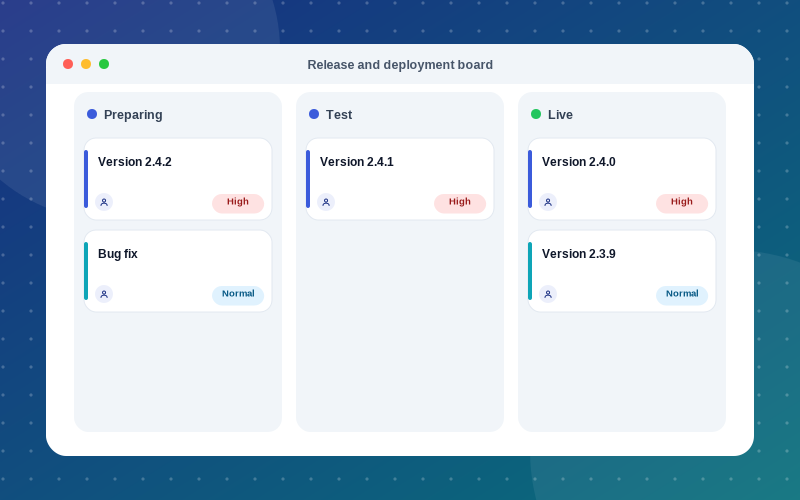
  • Deployment automation: Releases to test, staging and production are script-based with approval gates, and database changes and configuration transforms are part of the pipeline.
  • Automated test integration: Unit, integration and smoke tests are added to the pipeline, coverage and pass thresholds are set, and results are reported.
  • Rollback and monitoring: A route back to the previous version is prepared for failed deployments, and post-release health checks and notifications are wired into the pipeline.

How we work

  1. Discovery

    We follow your current release process along the journey of a version from code to production, noting manual steps, waiting points, common release errors and the tools in use. The result is a short assessment ranking automation opportunities.

  2. Planning

    A target pipeline architecture is drawn up covering stages, approval points, environments, the artifact repository and secrets management. The step that wastes most time or causes most errors is chosen first, resulting in a phased implementation plan.

  3. Implementation

    Pipelines are built on a pilot application and exercised with real changes, then tuned according to team feedback. The same templates are then adapted for other applications, with environment scripts and test stages added step by step.

  4. Support

    An operating guide, pipeline templates and troubleshooting notes are handed over to your team along with a short training session. Where needed, support continues for pipeline maintenance, onboarding new applications and improvements.

What you gain

Releases move from manual, person-dependent steps to a repeatable process, and because the same package is deployed the same way to every environment, release errors decrease.

Defects are caught during development by tests and quality gates, and it becomes traceable who released each version, with which changes and when.

Because environments are defined in code, they can be rebuilt and stay consistent with each other, shortening the time to add a new developer or environment and reducing dependence on individuals.

Who is it for?

Suitable for software teams that still build releases by hand and copy them to servers, businesses that suffer frequent errors on release days and struggle to roll back, IT units that manage several environments and applications, and software companies that want to ship their own product more often and more safely.

Frequently Asked Questions

Which CI/CD tools do you work with?

We first assess the tool you already use; we can work with common platforms such as Azure DevOps, GitLab CI, GitHub Actions and Jenkins. Rather than imposing a new tool, we choose the solution that fits your team's habits, code repository, hosting environment and security requirements, and share the reasoning in writing.

Can CI/CD also be set up for an older, legacy application?

Often, yes. Even an older .NET Framework application can be built and packaged automatically and deployed by script to a server such as IIS. For applications with few tests, we automate build and deployment first and add tests gradually. The constraints of each application are clarified in the initial assessment.

Related services and resources

Quote & demo

Let's evaluate your project together.

Let's start with a short call about QISO demo, ISO consulting, Artificial intelligence feasibility or your custom software needs.

  • QISO demo
  • ISO consulting
  • Artificial intelligence
  • Custom Software